



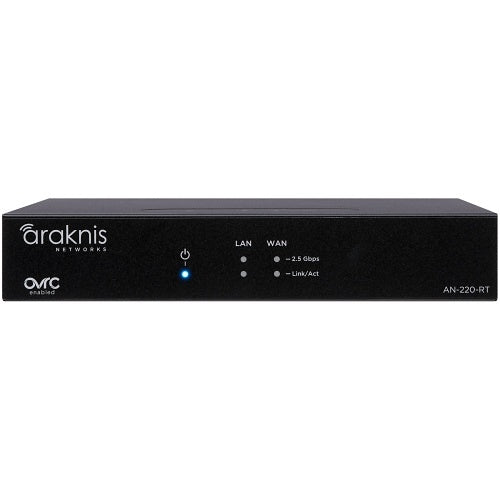
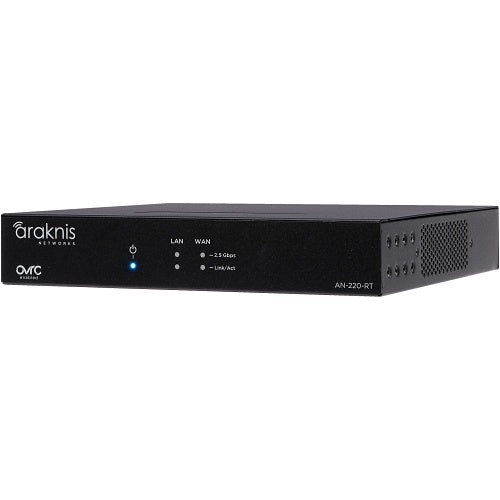
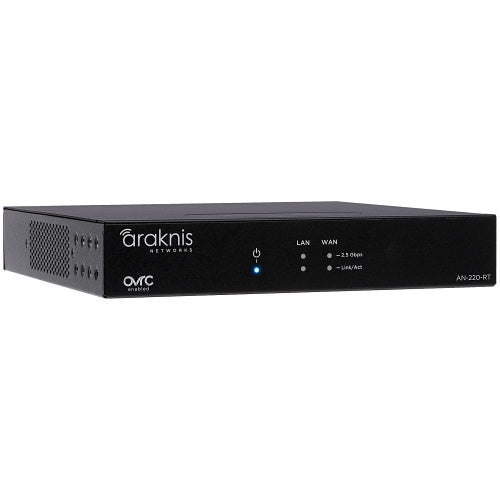
Araknis Networks AN-220-RT Single-WAN Router Multi-Gigabit VPN

In stock

Single-WAN 2.5G router for smart homes, small businesses, AV racks, security systems, and managed networks. Built with OvrC Pro, VPN support, VLAN control, firewall protection, and compact mounting for pro-grade wired network installs.

Sale price$556.99 USD

Tax excluded. Shipping calculated at checkout

Free U.S. shipping is available on orders over $499.99.

Authorized seller with manufacturer warranty, tracked U.S. shipping, and real help before and after your purchase.
Need help with product fit, compatibility, or setup?
Contact us or call (949) 944-2327

Official Product Resources

AN-220-RT Product Manual & Specs

View the official AN-220-RT manual for product specifications, setup details, wiring guidance, and installation reference before ordering.

Open AN-220-RT Manual PDF

Opens the official PDF manual in a new tab, where you can view, save, or print the file from your browser.

Araknis Networks AN-220-RT Single-WAN Router Multi-Gigabit VPN

Product Details

Professional Wired Router for Managed Home and Business Networks

This Araknis router is built for networks that need more control than a basic consumer router can provide. It is a strong fit for smart homes, small businesses, AV racks, security systems, and managed network installations where performance, remote support, and cleaner network structure matter.

The key difference is that this is a professional wired router, not an all-in-one Wi-Fi router. It is best used as the main network gateway, then paired with separate access points for Wi-Fi coverage and network switches for expanded wired connections.

Best Use Cases

  • Smart home networks: Good for homes with AV systems, cameras, access points, smart devices, and structured wiring.
  • Small business networks: Useful for offices, retail locations, studios, and service businesses that need stronger network control.
  • Security camera systems: A good fit when an NVR, PoE switch, IP cameras, and remote access need a more stable network backbone.
  • AV racks and media systems: Helps support streamers, processors, control systems, network audio, and other IP-connected AV gear.
  • Managed installations: Built for projects where OvrC Pro remote visibility and troubleshooting are important after installation.

Who Should Buy This?

This router is a good choice if you are building a more serious wired network and plan to use separate access points for Wi-Fi. It makes sense for homeowners, small business owners, IT companies, AV installers, security installers, and low-voltage professionals who want better visibility and control than a basic router provides.

It is especially useful when the network includes multiple device types, such as security cameras, NVRs, switches, access points, smart home equipment, AV gear, and business devices.

Who Should Not Buy This?

This is not the right product if you are looking for a simple all-in-one Wi-Fi router with built-in wireless coverage. This model does not include built-in Wi-Fi, so you should plan to add one or more access points if wireless coverage is needed.

It may also not be the right choice if you need multiple WAN connections or ISP failover. This is a single-WAN router. For more advanced dual-WAN or failover needs, a higher model should be reviewed.

It is also not a network switch. If you need more wired ports, pair it with a managed or unmanaged network switch based on the project.

Compatibility Notes

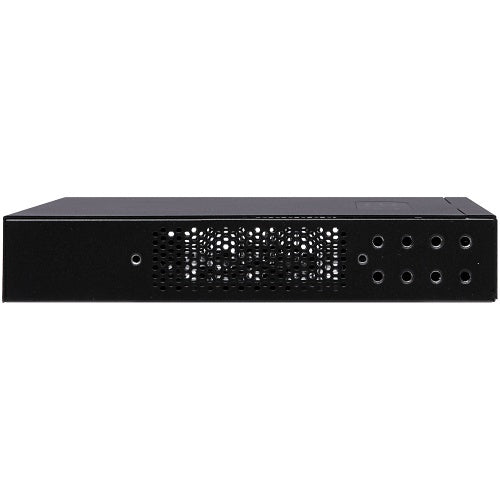
  • WAN: Includes one 2.5G BASE-T RJ45 WAN interface.
  • LAN: Includes one 2.5G BASE-T RJ45 LAN interface.
  • Wi-Fi: Does not include built-in Wi-Fi. Use separate access points for wireless coverage.
  • VPN: Supports OpenVPN and PPTP. The 220 series does not support IPSec.
  • VLANs: Supports up to 32 VLANs for network segmentation.
  • Firewall: Includes firewall features such as SPI, DoS prevention, and WAN request blocking.
  • Remote management: Includes OvrC Pro for remote monitoring, management, and troubleshooting.
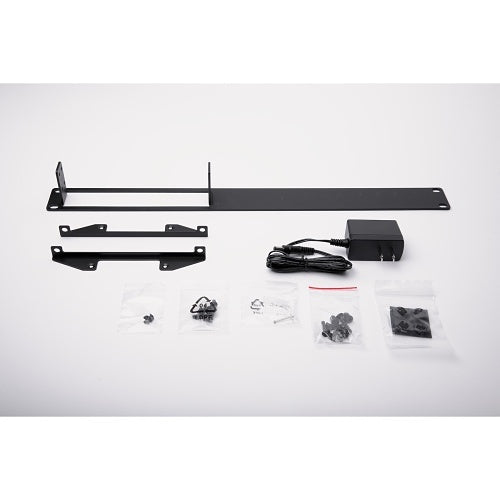
  • Mounting: Compact design supports rack, wall, shelf, structured wiring, and VersaBox-style installations.

Installation Considerations

Before ordering, map out the full network. This router should usually sit between the modem or ISP handoff and the rest of the local network. From there, you can connect a switch for additional wired devices and access points for Wi-Fi coverage.

If your setup includes cameras, NVRs, guest Wi-Fi, business devices, AV gear, or smart home systems, plan VLANs and IP addressing before installation. This helps keep the network cleaner, easier to manage, and easier to troubleshoot later.

For OvrC Pro remote management, the router should be properly connected, configured, and claimed in OvrC during setup. That is what gives installers and support teams better remote visibility into the network after the project is complete.

Why OvrC Pro Matters

OvrC Pro is one of the main reasons to choose this router over a basic consumer model. It gives better remote visibility into the network, which helps with support, troubleshooting, firmware management, and understanding device status without always needing to be on-site.

For homes and small businesses with security cameras, AV systems, smart devices, and multiple network clients, remote visibility can save time and reduce unnecessary service calls.

Good Products to Pair With This Router

Need Help Planning the Network?

If you are not sure whether this router is enough, send us the devices you plan to connect, your internet speed, number of access points, camera/NVR setup, and whether you need VLANs or VPN access. We can help you think through the router, switch, Wi-Fi, and power-protection layout before you order.

Professional Wired Router for Managed Home and Business Networks

This Araknis router is built for networks that need more control than a basic consumer router can provide. It is a strong fit for smart homes, small businesses, AV racks, security systems, and managed network installations where performance, remote support, and cleaner network structure matter.

The key difference is that this is a professional wired router, not an all-in-one Wi-Fi router. It is best used as the main network gateway, then paired with separate access points for Wi-Fi coverage and network switches for expanded wired connections.

Best Use Cases

  • Smart home networks: Good for homes with AV systems, cameras, access points, smart devices, and structured wiring.
  • Small business networks: Useful for offices, retail locations, studios, and service businesses that need stronger network control.
  • Security camera systems: A good fit when an NVR, PoE switch, IP cameras, and remote access need a more stable network backbone.
  • AV racks and media systems: Helps support streamers, processors, control systems, network audio, and other IP-connected AV gear.
  • Managed installations: Built for projects where OvrC Pro remote visibility and troubleshooting are important after installation.

Who Should Buy This?

This router is a good choice if you are building a more serious wired network and plan to use separate access points for Wi-Fi. It makes sense for homeowners, small business owners, IT companies, AV installers, security installers, and low-voltage professionals who want better visibility and control than a basic router provides.

It is especially useful when the network includes multiple device types, such as security cameras, NVRs, switches, access points, smart home equipment, AV gear, and business devices.

Who Should Not Buy This?

This is not the right product if you are looking for a simple all-in-one Wi-Fi router with built-in wireless coverage. This model does not include built-in Wi-Fi, so you should plan to add one or more access points if wireless coverage is needed.

It may also not be the right choice if you need multiple WAN connections or ISP failover. This is a single-WAN router. For more advanced dual-WAN or failover needs, a higher model should be reviewed.

It is also not a network switch. If you need more wired ports, pair it with a managed or unmanaged network switch based on the project.

Compatibility Notes

  • WAN: Includes one 2.5G BASE-T RJ45 WAN interface.
  • LAN: Includes one 2.5G BASE-T RJ45 LAN interface.
  • Wi-Fi: Does not include built-in Wi-Fi. Use separate access points for wireless coverage.
  • VPN: Supports OpenVPN and PPTP. The 220 series does not support IPSec.
  • VLANs: Supports up to 32 VLANs for network segmentation.
  • Firewall: Includes firewall features such as SPI, DoS prevention, and WAN request blocking.
  • Remote management: Includes OvrC Pro for remote monitoring, management, and troubleshooting.
  • Mounting: Compact design supports rack, wall, shelf, structured wiring, and VersaBox-style installations.

Installation Considerations

Before ordering, map out the full network. This router should usually sit between the modem or ISP handoff and the rest of the local network. From there, you can connect a switch for additional wired devices and access points for Wi-Fi coverage.

If your setup includes cameras, NVRs, guest Wi-Fi, business devices, AV gear, or smart home systems, plan VLANs and IP addressing before installation. This helps keep the network cleaner, easier to manage, and easier to troubleshoot later.

For OvrC Pro remote management, the router should be properly connected, configured, and claimed in OvrC during setup. That is what gives installers and support teams better remote visibility into the network after the project is complete.

Why OvrC Pro Matters

OvrC Pro is one of the main reasons to choose this router over a basic consumer model. It gives better remote visibility into the network, which helps with support, troubleshooting, firmware management, and understanding device status without always needing to be on-site.

For homes and small businesses with security cameras, AV systems, smart devices, and multiple network clients, remote visibility can save time and reduce unnecessary service calls.

Good Products to Pair With This Router

Need Help Planning the Network?

If you are not sure whether this router is enough, send us the devices you plan to connect, your internet speed, number of access points, camera/NVR setup, and whether you need VLANs or VPN access. We can help you think through the router, switch, Wi-Fi, and power-protection layout before you order.

RELATED PRODUCTS

Discover Other Products You Might Like and Simplify Your Search