



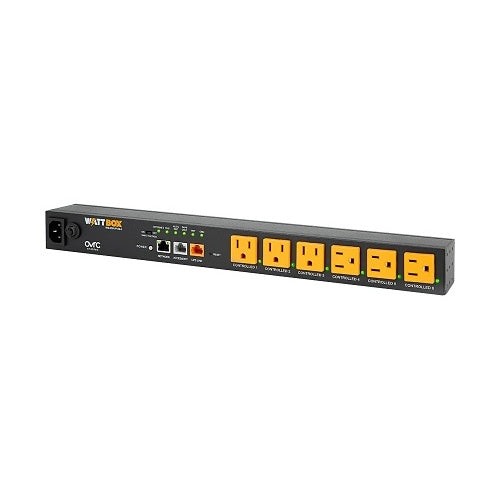
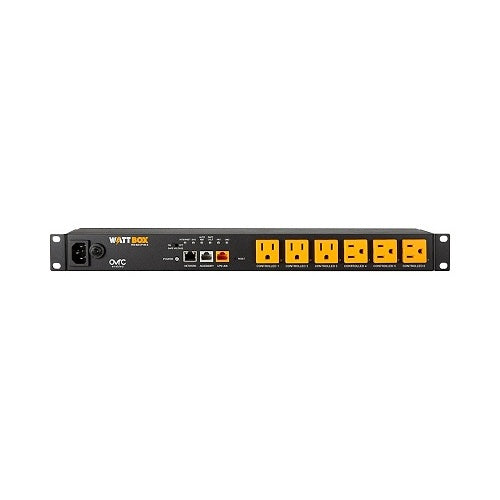
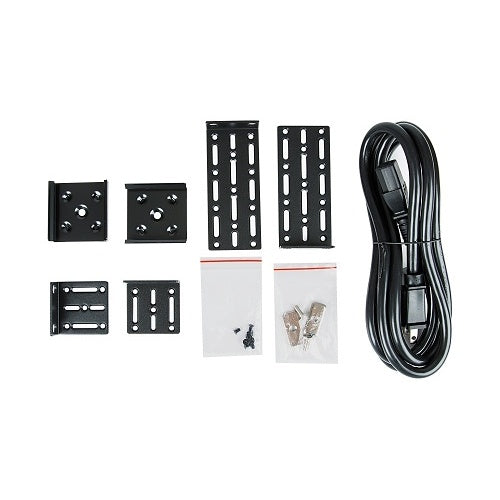
WattBox WB-800-IPVM-6 IP Surge Protector 6-Outlet Safe Voltage

In stock

6-outlet IP surge protector and managed power controller for AV racks, network closets, NVRs, switches, routers, and WattBox power setups. Built for remote reboot, Safe Voltage protection, OvrC monitoring, and cleaner troubleshooting.

Sale price$573.99 USD Regular price$614.99 USD
Save 7%

Tax excluded. Shipping calculated at checkout

Free U.S. shipping is available on orders over $499.99.

Authorized seller with manufacturer warranty, tracked U.S. shipping, and real help before and after your purchase.
Need help with product fit, compatibility, or setup?
Contact us or call (949) 944-2327

Official Product Resources

WB-800-IPVM-6 Product Manual & Specs

View the official WB-800-IPVM-6 manual for product specifications, setup details, wiring guidance, and installation reference before ordering.

Open WB-800-IPVM-6 Manual PDF

Opens the official PDF manual in a new tab, where you can view, save, or print the file from your browser.

WattBox WB-800-IPVM-6 IP Surge Protector 6-Outlet Safe Voltage

Product Details

Managed IP Power Control for AV, Network, and Security Gear

This WattBox 6-outlet IP surge protector is built for systems where power control matters just as much as surge protection. Instead of treating every connected device the same, it gives you remote control, outlet-level visibility, and smarter recovery options for equipment that can lock up or need a reboot.

It is a strong fit for AV racks, media cabinets, network closets, small business systems, and security setups where routers, switches, NVRs, access points, control processors, and AV components need cleaner power management and easier troubleshooting.

Best Use Cases

  • AV racks and media cabinets: Helps organize and protect connected AV gear while giving you remote control when equipment needs a reboot.
  • Network closets: Useful for modems, routers, switches, access points, and other network devices that should be easy to reset without being on-site.
  • Security camera systems: A good fit when an NVR, PoE switch, or supporting network equipment needs surge protection and smarter power recovery.
  • Small business installs: Helpful for offices, retail locations, conference rooms, and light commercial spaces where downtime creates frustration.
  • Installer-managed systems: Makes sense for integrators, IT companies, AV installers, and security professionals who want easier remote troubleshooting.

Who Should Buy This?

This product is a good choice if you want more than a basic surge strip. It is designed for customers who need remote power control, smart outlet management, and better visibility into connected equipment.

It is especially useful when one locked-up device can affect the whole system. For example, if a router, switch, NVR, control processor, or media device freezes, being able to reboot the right outlet remotely can save time and reduce unnecessary service visits.

Who Should Not Buy This?

This may not be the right product if you only need a simple power strip for basic household electronics. It is also not a UPS battery backup by itself, so it will not keep devices running during a power outage unless it is paired with the proper backup power setup.

It is also not intended for outdoor use, wet areas, extension-cord setups, heaters, power tools, large appliances, or other high-draw equipment. For those cases, the electrical load and installation environment should be reviewed first.

Compatibility Notes

  • Outlet control: Includes six controllable outlets for managing connected equipment.
  • Network connection: Uses a LAN connection for IP control, monitoring, and OvrC setup.
  • OvrC support: Designed for remote monitoring, setup, scheduled reboots, and power management through OvrC.
  • UPS Link: Includes a UPS Link port for connection with compatible WattBox UPS equipment.
  • Safe Voltage: Helps protect connected equipment when incoming voltage moves outside the safe operating range.
  • Grounding: Should be connected to a properly grounded 120V AC outlet.
  • Indoor use: Intended for indoor, dry-location installations only.

Installation Considerations

Before ordering, think through what each outlet will control. A good layout usually separates critical network equipment, recording equipment, control devices, and AV components so one device can be rebooted without disturbing the entire rack.

If you plan to use OvrC, the unit should be connected to the network with an Ethernet cable. This allows remote monitoring and management instead of treating it like a simple surge protector.

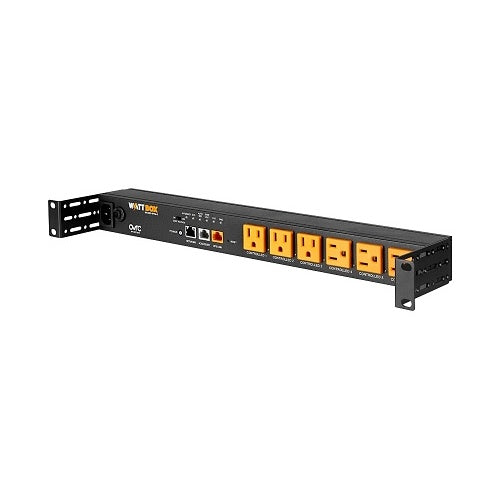
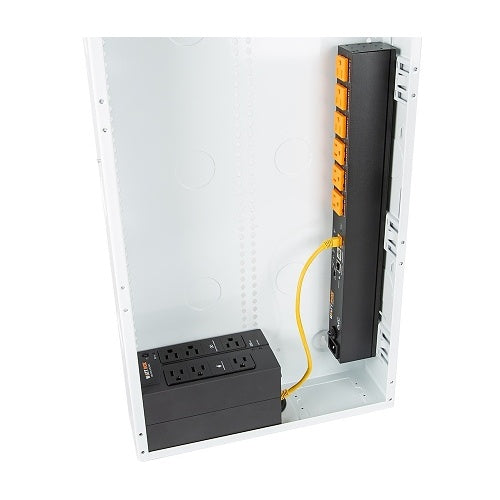
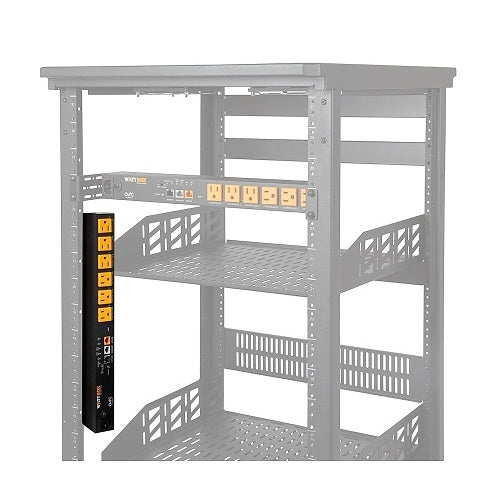
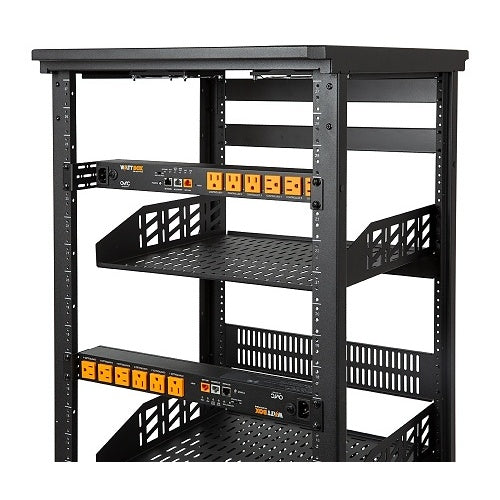
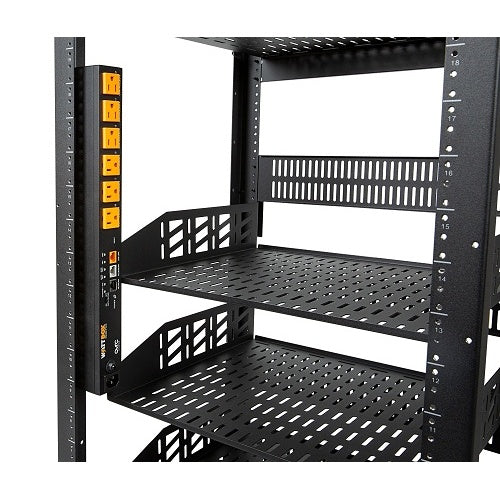
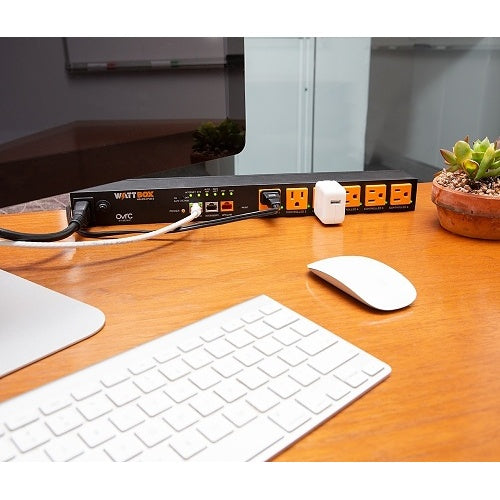
Mounting also matters. This model can work well in racks, cabinets, under counters, shelves, or wall-mounted setups when installed correctly. Make sure the location has proper ventilation, safe access to power, and enough room for connected plugs and cables.

Why Safe Voltage Matters

Surge protection is only one part of power protection. Voltage that is too high or too low can also create problems for sensitive electronics. Safe Voltage helps protect connected gear by shutting outlets off when incoming voltage is outside the safe range, then restoring power when conditions return to normal.

For AV, networking, and security equipment, this can help reduce lockups, unexpected behavior, and power-related service calls.

Good Products to Pair With This Surge Protector

Need Help Choosing the Right Power Setup?

If you are not sure whether this 6-outlet model is enough, send us the list of equipment you want to power. We can help you think through outlet count, UPS backup, rack layout, remote reboot needs, and whether this model or a larger WattBox option makes more sense.

Managed IP Power Control for AV, Network, and Security Gear

This WattBox 6-outlet IP surge protector is built for systems where power control matters just as much as surge protection. Instead of treating every connected device the same, it gives you remote control, outlet-level visibility, and smarter recovery options for equipment that can lock up or need a reboot.

It is a strong fit for AV racks, media cabinets, network closets, small business systems, and security setups where routers, switches, NVRs, access points, control processors, and AV components need cleaner power management and easier troubleshooting.

Best Use Cases

  • AV racks and media cabinets: Helps organize and protect connected AV gear while giving you remote control when equipment needs a reboot.
  • Network closets: Useful for modems, routers, switches, access points, and other network devices that should be easy to reset without being on-site.
  • Security camera systems: A good fit when an NVR, PoE switch, or supporting network equipment needs surge protection and smarter power recovery.
  • Small business installs: Helpful for offices, retail locations, conference rooms, and light commercial spaces where downtime creates frustration.
  • Installer-managed systems: Makes sense for integrators, IT companies, AV installers, and security professionals who want easier remote troubleshooting.

Who Should Buy This?

This product is a good choice if you want more than a basic surge strip. It is designed for customers who need remote power control, smart outlet management, and better visibility into connected equipment.

It is especially useful when one locked-up device can affect the whole system. For example, if a router, switch, NVR, control processor, or media device freezes, being able to reboot the right outlet remotely can save time and reduce unnecessary service visits.

Who Should Not Buy This?

This may not be the right product if you only need a simple power strip for basic household electronics. It is also not a UPS battery backup by itself, so it will not keep devices running during a power outage unless it is paired with the proper backup power setup.

It is also not intended for outdoor use, wet areas, extension-cord setups, heaters, power tools, large appliances, or other high-draw equipment. For those cases, the electrical load and installation environment should be reviewed first.

Compatibility Notes

  • Outlet control: Includes six controllable outlets for managing connected equipment.
  • Network connection: Uses a LAN connection for IP control, monitoring, and OvrC setup.
  • OvrC support: Designed for remote monitoring, setup, scheduled reboots, and power management through OvrC.
  • UPS Link: Includes a UPS Link port for connection with compatible WattBox UPS equipment.
  • Safe Voltage: Helps protect connected equipment when incoming voltage moves outside the safe operating range.
  • Grounding: Should be connected to a properly grounded 120V AC outlet.
  • Indoor use: Intended for indoor, dry-location installations only.

Installation Considerations

Before ordering, think through what each outlet will control. A good layout usually separates critical network equipment, recording equipment, control devices, and AV components so one device can be rebooted without disturbing the entire rack.

If you plan to use OvrC, the unit should be connected to the network with an Ethernet cable. This allows remote monitoring and management instead of treating it like a simple surge protector.

Mounting also matters. This model can work well in racks, cabinets, under counters, shelves, or wall-mounted setups when installed correctly. Make sure the location has proper ventilation, safe access to power, and enough room for connected plugs and cables.

Why Safe Voltage Matters

Surge protection is only one part of power protection. Voltage that is too high or too low can also create problems for sensitive electronics. Safe Voltage helps protect connected gear by shutting outlets off when incoming voltage is outside the safe range, then restoring power when conditions return to normal.

For AV, networking, and security equipment, this can help reduce lockups, unexpected behavior, and power-related service calls.

Good Products to Pair With This Surge Protector

Need Help Choosing the Right Power Setup?

If you are not sure whether this 6-outlet model is enough, send us the list of equipment you want to power. We can help you think through outlet count, UPS backup, rack layout, remote reboot needs, and whether this model or a larger WattBox option makes more sense.

RELATED PRODUCTS

Discover Other Products You Might Like and Simplify Your Search