



WattBox WB-800-FP 800 Series Faceplate for Rack Mount Power Monitoring

In stock

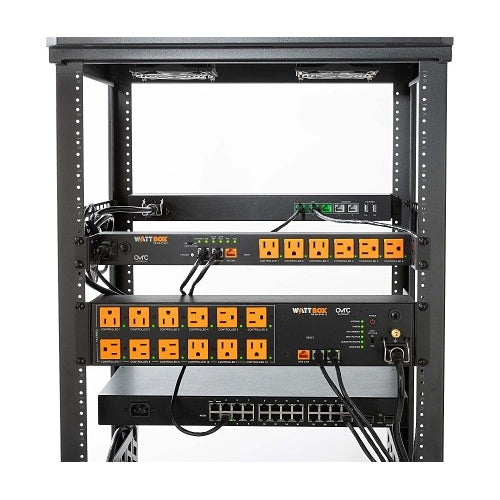
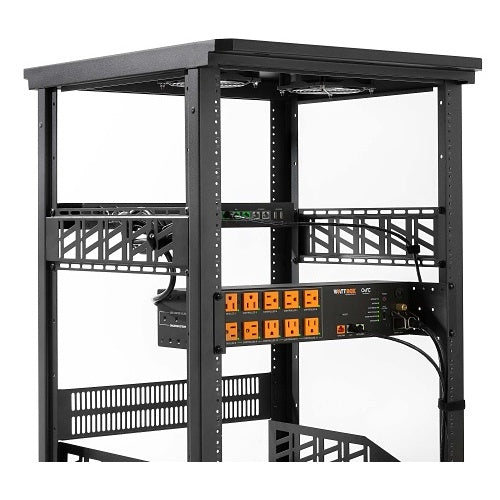
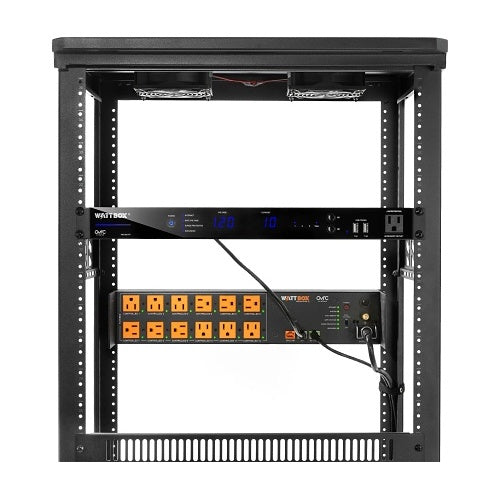
1U rack-mount faceplate display for compatible WattBox 800 Series power systems. Built for front-facing voltage and amperage visibility, LED status indicators, local PDU reset control, OvrC-enabled monitoring, front/rear USB charging, and an always-on front accessory outlet for service use.

Sale price$323.99 USD

Tax excluded. Shipping calculated at checkout

Free U.S. shipping is available on orders over $499.99.

Authorized seller with manufacturer warranty, tracked U.S. shipping, and real help before and after your purchase.
Need help with product fit, compatibility, or setup?
Contact us or call (949) 944-2327

Official Product Resources

WB-800-FP Product Manual & Specs

View the official WB-800-FP manual for product specifications, setup details, wiring guidance, and installation reference before ordering.

Open WB-800-FP Manual PDF

Opens the official PDF manual in a new tab, where you can view, save, or print the file from your browser.

WattBox WB-800-FP 800 Series Faceplate for Rack Mount Power Monitoring

Product Details

Front-Facing Monitoring and Control for Compatible WattBox Racks

The WattBox WB-800-FP is a 1U rack-mount faceplate display made for compatible WattBox 800 Series rack power systems. It gives installers, service teams, and advanced users easier front-panel access to power status, PDU reset controls, voltage readings, current readings, LED status indicators, USB power, and a front accessory outlet.

This is not a power conditioner by itself. It is an accessory faceplate that works with compatible WattBox rack power products to make a larger power system easier to monitor, reset, and troubleshoot at the rack.

Best Use Cases

  • AV racks: Adds front-facing power visibility and local controls to compatible WattBox rack power systems.
  • Network closets: Helps service teams quickly check power status, current draw, internet status, grounding, and related indicators.
  • Security system racks: Useful when NVR, router, switch, and power-management gear are installed in one serviceable location.
  • Commercial equipment racks: A strong fit for offices, retail spaces, studios, and managed AV/network installations where fast troubleshooting matters.
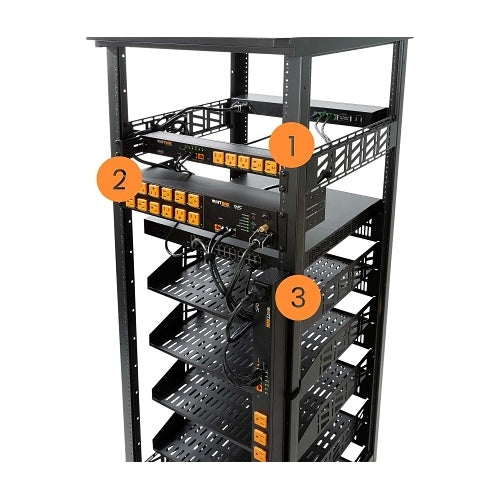
  • Multi-PDU setups: Supports monitoring and control for up to three compatible WattBox PDUs from one front-facing interface.
  • Service-friendly installs: Gives technicians a local reset point without needing to reach behind the rack.

Who Should Buy This?

This is a good choice if you are building or maintaining a compatible WattBox 800 Series rack power setup and want better local visibility at the front of the rack.

It makes the most sense for professional AV racks, network closets, smart home systems, security racks, and commercial installations where power status and troubleshooting access need to be simple and visible.

Who Should Not Buy This?

This is not the right product if you are looking for a standalone surge protector, power conditioner, UPS, or rack power strip. It does not replace the WattBox PDU or power conditioner.

This is also not the right product if you do not already have, or do not plan to use, a compatible WattBox rack power system. Compatibility must be confirmed before ordering.

If you only need basic power distribution, choose a rack power strip. If you need surge protection or power conditioning, choose a WattBox power conditioner. If you need battery backup, choose a UPS. If you need remote reboot and managed outlets, choose a compatible smart WattBox IP power conditioner.

Compatibility Notes

  • Product type: 1U rack-mount faceplate display accessory.
  • Primary use: Adds local monitoring, display, and reset controls to compatible WattBox 800 Series power systems.
  • PDU support: Supports connection to up to three compatible WattBox 800 Series PDUs.
  • Important compatibility note: Do not assume every WattBox model is compatible. The official manual specifically notes that the WB-800CH1U-IPVM-8 is not compatible.
  • Firmware requirement: Compatible PDU firmware must be version 2.2.0.8 or newer to unlock faceplate features in OvrC.
  • PDU Port 1: A PDU must be connected to PDU Port 1 to keep the faceplate firmware up to date.
  • Displays: Two LED displays show AC voltage and amperage for individual PDUs or aggregate connected PDU load.
  • Status indicators: Front LEDs show internet, Safe Voltage, surge protected, and grounded status based on connected compatible PDUs.
  • Local reset: Front buttons can reset individual connected PDUs or all connected PDU outlets, depending on configuration.
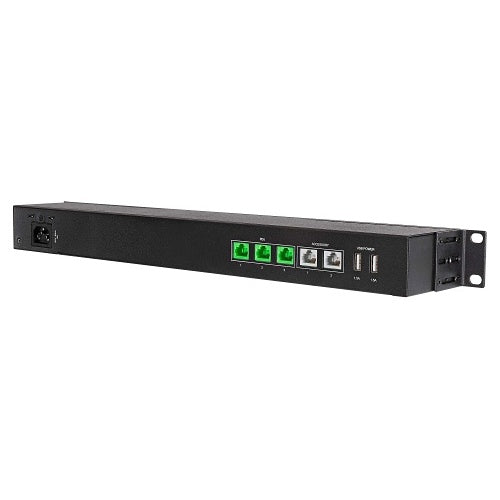
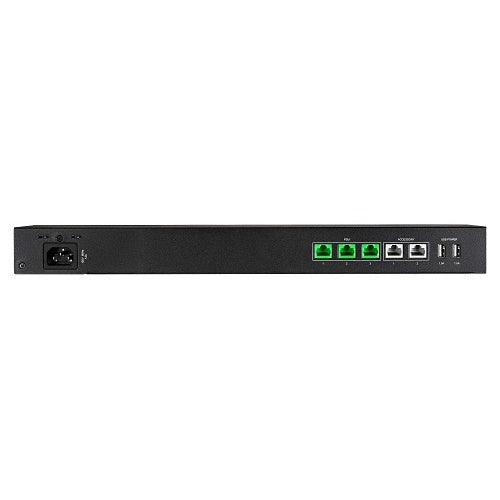
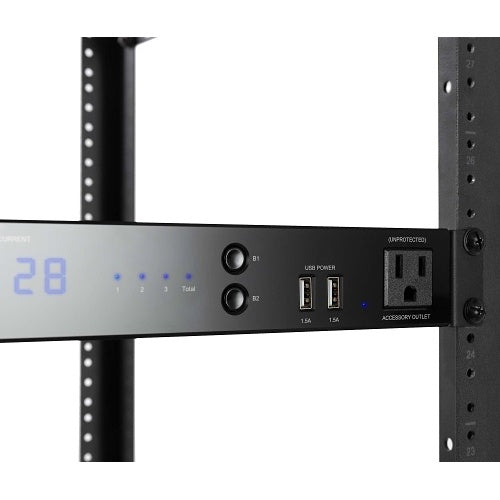
  • USB ports: Includes four USB ports, with two on the front and two on the rear, supplying up to 1.5A each.
  • Accessory outlet: Includes an always-on front accessory outlet for service use. This outlet is unprotected and non-controllable.
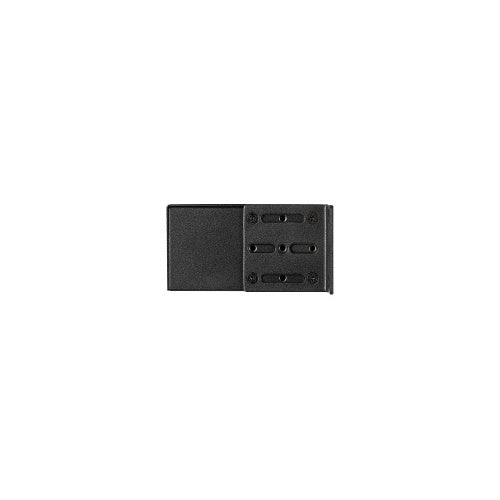
  • Mounting: Can be rack mounted with the pre-installed rack ears or placed in a cabinet with the supplied rubber feet.
  • Power cord: Includes a 6-foot IEC power cord with a locking clip.

Installation Considerations

Before ordering, confirm the exact WattBox PDU or power conditioner model you plan to use with this faceplate. This product should not be purchased based on the WattBox brand name alone. The exact model and firmware compatibility matter.

If you are connecting more than one PDU, plan the PDU port layout clearly. The faceplate can display current for individual PDUs or aggregate current across connected PDUs, which is useful only when the system is wired and labeled correctly.

The front accessory outlet is useful for quick service work, tools, or temporary power access, but it is not protected and not controllable. Do not treat it like a protected PDU outlet.

Why This Faceplate Helps

In a rack, the most frustrating problems are often the simple ones: a locked-up device, a questionable ground status, a voltage issue, or a rack that needs a controlled reset while someone is standing onsite.

The WB-800-FP brings key power information and reset controls to the front of the rack. That can make service faster, reduce guesswork, and help installers avoid reaching behind equipment just to check or reset a connected WattBox PDU.

When to Choose a Different WattBox Product

Choose a WattBox smart IP power conditioner if you need the actual managed outlets, surge protection, Safe Voltage protection, OvrC remote reboot, scheduling, and outlet control.

Choose a WattBox UPS if the connected equipment needs to stay powered during an outage. Choose a rack power strip if you only need basic outlet distribution without smart monitoring or advanced protection.

Good Products to Pair With This Faceplate

Need Help Confirming Compatibility?

If you are not sure whether the WB-800-FP works with your WattBox power conditioner or PDU, send us the exact model number from your rack. We can help you check compatibility before you order so you do not buy a faceplate that does not match your power system.

Front-Facing Monitoring and Control for Compatible WattBox Racks

The WattBox WB-800-FP is a 1U rack-mount faceplate display made for compatible WattBox 800 Series rack power systems. It gives installers, service teams, and advanced users easier front-panel access to power status, PDU reset controls, voltage readings, current readings, LED status indicators, USB power, and a front accessory outlet.

This is not a power conditioner by itself. It is an accessory faceplate that works with compatible WattBox rack power products to make a larger power system easier to monitor, reset, and troubleshoot at the rack.

Best Use Cases

  • AV racks: Adds front-facing power visibility and local controls to compatible WattBox rack power systems.
  • Network closets: Helps service teams quickly check power status, current draw, internet status, grounding, and related indicators.
  • Security system racks: Useful when NVR, router, switch, and power-management gear are installed in one serviceable location.
  • Commercial equipment racks: A strong fit for offices, retail spaces, studios, and managed AV/network installations where fast troubleshooting matters.
  • Multi-PDU setups: Supports monitoring and control for up to three compatible WattBox PDUs from one front-facing interface.
  • Service-friendly installs: Gives technicians a local reset point without needing to reach behind the rack.

Who Should Buy This?

This is a good choice if you are building or maintaining a compatible WattBox 800 Series rack power setup and want better local visibility at the front of the rack.

It makes the most sense for professional AV racks, network closets, smart home systems, security racks, and commercial installations where power status and troubleshooting access need to be simple and visible.

Who Should Not Buy This?

This is not the right product if you are looking for a standalone surge protector, power conditioner, UPS, or rack power strip. It does not replace the WattBox PDU or power conditioner.

This is also not the right product if you do not already have, or do not plan to use, a compatible WattBox rack power system. Compatibility must be confirmed before ordering.

If you only need basic power distribution, choose a rack power strip. If you need surge protection or power conditioning, choose a WattBox power conditioner. If you need battery backup, choose a UPS. If you need remote reboot and managed outlets, choose a compatible smart WattBox IP power conditioner.

Compatibility Notes

  • Product type: 1U rack-mount faceplate display accessory.
  • Primary use: Adds local monitoring, display, and reset controls to compatible WattBox 800 Series power systems.
  • PDU support: Supports connection to up to three compatible WattBox 800 Series PDUs.
  • Important compatibility note: Do not assume every WattBox model is compatible. The official manual specifically notes that the WB-800CH1U-IPVM-8 is not compatible.
  • Firmware requirement: Compatible PDU firmware must be version 2.2.0.8 or newer to unlock faceplate features in OvrC.
  • PDU Port 1: A PDU must be connected to PDU Port 1 to keep the faceplate firmware up to date.
  • Displays: Two LED displays show AC voltage and amperage for individual PDUs or aggregate connected PDU load.
  • Status indicators: Front LEDs show internet, Safe Voltage, surge protected, and grounded status based on connected compatible PDUs.
  • Local reset: Front buttons can reset individual connected PDUs or all connected PDU outlets, depending on configuration.
  • USB ports: Includes four USB ports, with two on the front and two on the rear, supplying up to 1.5A each.
  • Accessory outlet: Includes an always-on front accessory outlet for service use. This outlet is unprotected and non-controllable.
  • Mounting: Can be rack mounted with the pre-installed rack ears or placed in a cabinet with the supplied rubber feet.
  • Power cord: Includes a 6-foot IEC power cord with a locking clip.

Installation Considerations

Before ordering, confirm the exact WattBox PDU or power conditioner model you plan to use with this faceplate. This product should not be purchased based on the WattBox brand name alone. The exact model and firmware compatibility matter.

If you are connecting more than one PDU, plan the PDU port layout clearly. The faceplate can display current for individual PDUs or aggregate current across connected PDUs, which is useful only when the system is wired and labeled correctly.

The front accessory outlet is useful for quick service work, tools, or temporary power access, but it is not protected and not controllable. Do not treat it like a protected PDU outlet.

Why This Faceplate Helps

In a rack, the most frustrating problems are often the simple ones: a locked-up device, a questionable ground status, a voltage issue, or a rack that needs a controlled reset while someone is standing onsite.

The WB-800-FP brings key power information and reset controls to the front of the rack. That can make service faster, reduce guesswork, and help installers avoid reaching behind equipment just to check or reset a connected WattBox PDU.

When to Choose a Different WattBox Product

Choose a WattBox smart IP power conditioner if you need the actual managed outlets, surge protection, Safe Voltage protection, OvrC remote reboot, scheduling, and outlet control.

Choose a WattBox UPS if the connected equipment needs to stay powered during an outage. Choose a rack power strip if you only need basic outlet distribution without smart monitoring or advanced protection.

Good Products to Pair With This Faceplate

Need Help Confirming Compatibility?

If you are not sure whether the WB-800-FP works with your WattBox power conditioner or PDU, send us the exact model number from your rack. We can help you check compatibility before you order so you do not buy a faceplate that does not match your power system.

RELATED PRODUCTS

Discover Other Products You Might Like and Simplify Your Search