



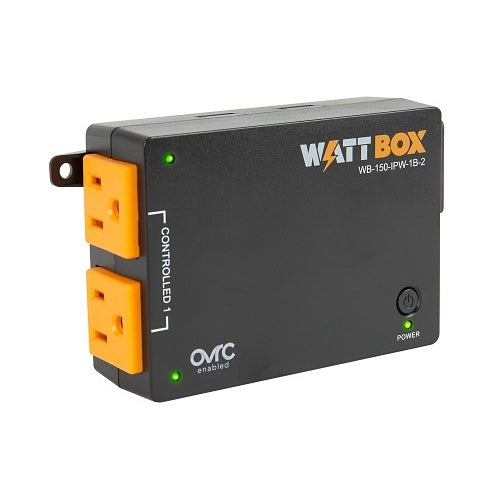
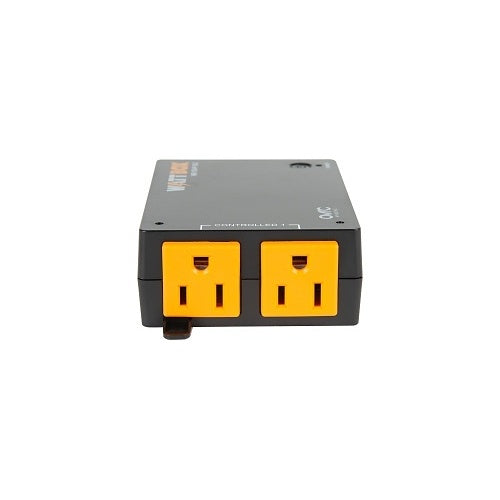
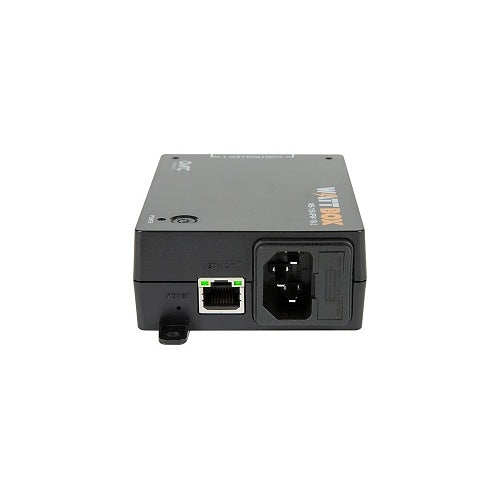
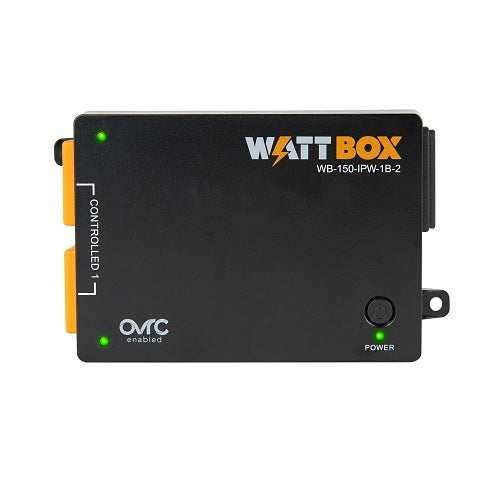
WattBox WB-150-IPW-1B-2 Wi-Fi Smart 2-Outlets IP Power Strip

In stock

Ultra-compact 2-outlet IP power controller for routers, smart TVs, streamers, digital signage, video conferencing gear, and compact AV setups. Supports Wi-Fi, Ethernet, OvrC remote management, auto-reboot, scheduling, and control-system integration.

Sale price$255.99 USD

Tax excluded. Shipping calculated at checkout

Free U.S. shipping is available on orders over $499.99.

Authorized seller with manufacturer warranty, tracked U.S. shipping, and real help before and after your purchase.
Need help with product fit, compatibility, or setup?
Contact us or call (949) 944-2327

Official Product Resources

WB-150-IPW-1B-2 Product Manual & Specs

View the official WB-150-IPW-1B-2 manual for product specifications, setup details, wiring guidance, and installation reference before ordering.

Open WB-150-IPW-1B-2 Manual PDF

Opens the official PDF manual in a new tab, where you can view, save, or print the file from your browser.

WattBox WB-150-IPW-1B-2 Wi-Fi Smart 2-Outlets IP Power Strip

Product Details

Compact Remote Power Control for Small AV and Network Devices

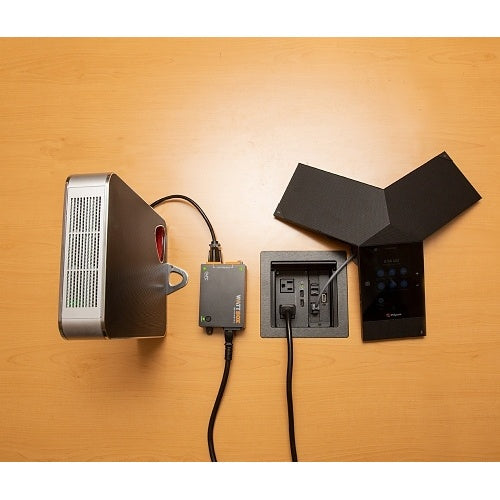
This ultra-compact WattBox IP power controller is designed for situations where one or two small devices need remote reboot capability, but a larger rack power conditioner would be too much. It is a practical fit for smart TVs, streamers, routers, video conferencing equipment, digital signage, small AV systems, and other connected devices that may occasionally need a power reset.

The main value is simple remote recovery. Instead of sending someone on-site to unplug a frozen streamer, reboot a display device, or reset a small network component, this unit allows connected equipment to be power-cycled through OvrC when configured properly.

Best Use Cases

  • Smart TVs and media players: Helpful when a display, streaming device, or media player freezes and needs a remote reboot.
  • Digital signage: Useful for signage players, displays, kiosks, and customer-facing screens that are not easy to access.
  • Video conferencing setups: A good fit for small conference room devices that occasionally need a power reset.
  • Small network devices: Can support routers, compact switches, bridges, or other low-power network gear.
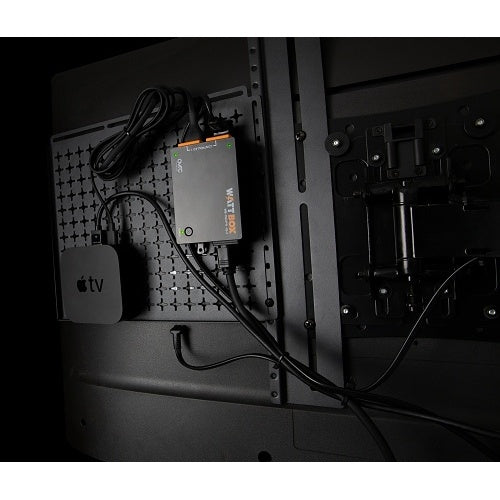
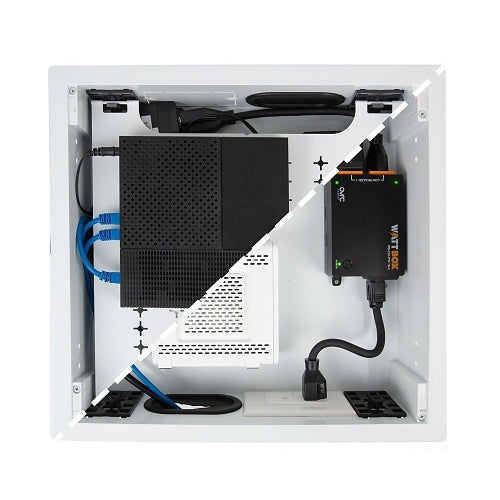
  • Compact AV installs: Works well behind displays, inside cabinets, or in tight spaces where larger power products do not fit.

Who Should Buy This?

This is a good choice if you need remote power control for one or two small devices and want both Wi-Fi and wired network connection options. It is especially useful for AV installers, IT companies, smart home professionals, property managers, and business owners who want to reduce simple service calls caused by locked-up equipment.

It makes the most sense when the connected devices are hard to reach, such as behind a TV, inside a cabinet, above a display, or in a remote signage location.

Who Should Not Buy This?

This is not the right product if you need surge protection, power conditioning, UPS battery backup, or individual outlet control. Both outlets are controlled together on a single relay bank, so rebooting one outlet means rebooting both connected devices at the same time.

It is also not intended for high-draw equipment such as heaters, power tools, large amplifiers, laser printers, appliances, or equipment that should be protected by a dedicated surge protector, UPS, or larger managed power conditioner.

Compatibility Notes

  • Outlet layout: Includes 2 outlets controlled together on a single relay bank.
  • Network options: Supports both Wi-Fi and wired Ethernet connections.
  • Remote management: Supports OvrC remote monitoring and control when configured properly.
  • Automation features: Supports auto-reboot and scheduled power control.
  • Control integration: Works with popular control systems such as Control4 and Crestron.
  • Custom integration: Includes Telnet API support for custom control setups.
  • Power protection note: This model does not provide surge protection or power conditioning.

Installation Considerations

Before installing this unit, decide whether the two connected devices should always reboot together. Since both outlets are controlled as one relay bank, it is best used for devices that can safely power-cycle at the same time.

For the best remote-management experience, connect it to the network using Ethernet when possible. Wi-Fi gives more placement flexibility, but wired networking is usually preferred for installed AV, signage, and business systems where reliability matters.

Because this model does not include surge protection or power conditioning, it should be used as part of a properly planned power setup. In many installations, that means pairing it with a suitable surge protector, UPS, or larger WattBox power solution upstream.

Why Remote Reboot Matters

Many device problems are simple lockups, not full hardware failures. A streamer freezes, a display device stops responding, a router needs a restart, or a signage player goes offline. Remote reboot control can solve many of these issues without opening the wall box, moving furniture, climbing behind a display, or sending a technician to the site.

That is the real reason to use this product. It gives small connected devices a practical recovery path after installation.

Good Products to Pair With This IP Power Controller

Need Help Planning the Right Power Setup?

If you are not sure whether this compact 2-outlet controller is enough, send us the devices you want to connect. We can help you decide whether this model is a good fit, whether both devices should reboot together, and whether you also need surge protection, UPS backup, or a larger WattBox unit.

Compact Remote Power Control for Small AV and Network Devices

This ultra-compact WattBox IP power controller is designed for situations where one or two small devices need remote reboot capability, but a larger rack power conditioner would be too much. It is a practical fit for smart TVs, streamers, routers, video conferencing equipment, digital signage, small AV systems, and other connected devices that may occasionally need a power reset.

The main value is simple remote recovery. Instead of sending someone on-site to unplug a frozen streamer, reboot a display device, or reset a small network component, this unit allows connected equipment to be power-cycled through OvrC when configured properly.

Best Use Cases

  • Smart TVs and media players: Helpful when a display, streaming device, or media player freezes and needs a remote reboot.
  • Digital signage: Useful for signage players, displays, kiosks, and customer-facing screens that are not easy to access.
  • Video conferencing setups: A good fit for small conference room devices that occasionally need a power reset.
  • Small network devices: Can support routers, compact switches, bridges, or other low-power network gear.
  • Compact AV installs: Works well behind displays, inside cabinets, or in tight spaces where larger power products do not fit.

Who Should Buy This?

This is a good choice if you need remote power control for one or two small devices and want both Wi-Fi and wired network connection options. It is especially useful for AV installers, IT companies, smart home professionals, property managers, and business owners who want to reduce simple service calls caused by locked-up equipment.

It makes the most sense when the connected devices are hard to reach, such as behind a TV, inside a cabinet, above a display, or in a remote signage location.

Who Should Not Buy This?

This is not the right product if you need surge protection, power conditioning, UPS battery backup, or individual outlet control. Both outlets are controlled together on a single relay bank, so rebooting one outlet means rebooting both connected devices at the same time.

It is also not intended for high-draw equipment such as heaters, power tools, large amplifiers, laser printers, appliances, or equipment that should be protected by a dedicated surge protector, UPS, or larger managed power conditioner.

Compatibility Notes

  • Outlet layout: Includes 2 outlets controlled together on a single relay bank.
  • Network options: Supports both Wi-Fi and wired Ethernet connections.
  • Remote management: Supports OvrC remote monitoring and control when configured properly.
  • Automation features: Supports auto-reboot and scheduled power control.
  • Control integration: Works with popular control systems such as Control4 and Crestron.
  • Custom integration: Includes Telnet API support for custom control setups.
  • Power protection note: This model does not provide surge protection or power conditioning.

Installation Considerations

Before installing this unit, decide whether the two connected devices should always reboot together. Since both outlets are controlled as one relay bank, it is best used for devices that can safely power-cycle at the same time.

For the best remote-management experience, connect it to the network using Ethernet when possible. Wi-Fi gives more placement flexibility, but wired networking is usually preferred for installed AV, signage, and business systems where reliability matters.

Because this model does not include surge protection or power conditioning, it should be used as part of a properly planned power setup. In many installations, that means pairing it with a suitable surge protector, UPS, or larger WattBox power solution upstream.

Why Remote Reboot Matters

Many device problems are simple lockups, not full hardware failures. A streamer freezes, a display device stops responding, a router needs a restart, or a signage player goes offline. Remote reboot control can solve many of these issues without opening the wall box, moving furniture, climbing behind a display, or sending a technician to the site.

That is the real reason to use this product. It gives small connected devices a practical recovery path after installation.

Good Products to Pair With This IP Power Controller

Need Help Planning the Right Power Setup?

If you are not sure whether this compact 2-outlet controller is enough, send us the devices you want to connect. We can help you decide whether this model is a good fit, whether both devices should reboot together, and whether you also need surge protection, UPS backup, or a larger WattBox unit.

RELATED PRODUCTS

Discover Other Products You Might Like and Simplify Your Search