


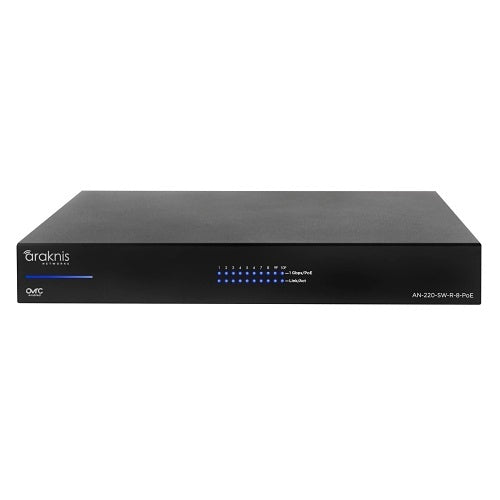
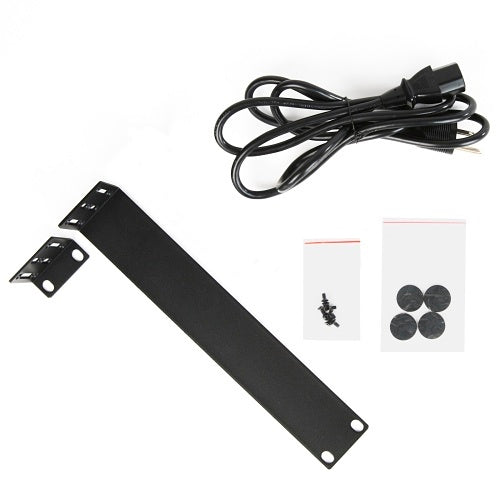
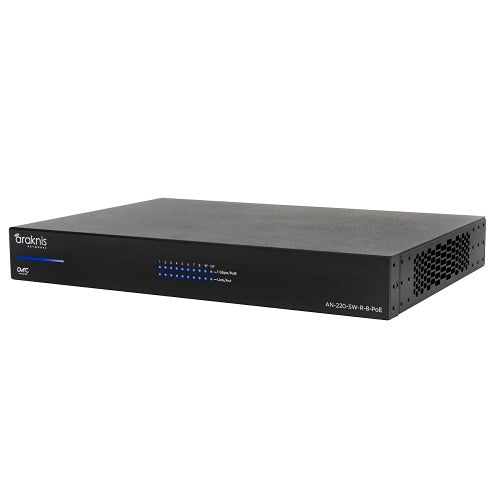
Araknis Networks AN-220-SW-R-8-POE 8-Port PoE+ Managed Switch

In stock

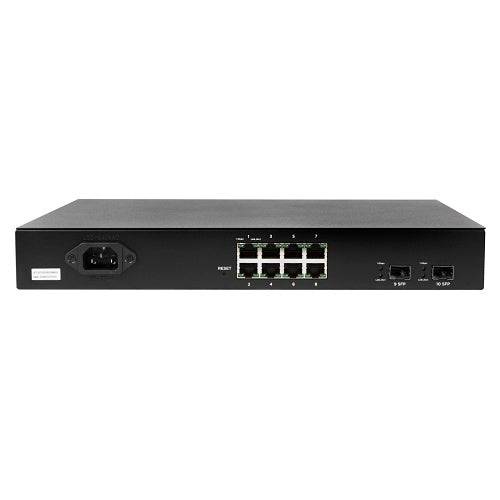
8-port gigabit Layer 2 managed PoE+ switch for AV racks, smart homes, small businesses, IP cameras, access points, and touch panels. Built with rear-facing ports, OvrC remote management, dual firmware support, and cleaner rack cabling.

Sale price$511.99 USD

Tax excluded. Shipping calculated at checkout

Free U.S. shipping is available on orders over $499.99.

Authorized seller with manufacturer warranty, tracked U.S. shipping, and real help before and after your purchase.
Need help with product fit, compatibility, or setup?
Contact us or call (949) 944-2327

Official Product Resources

AN-220-SW-R-8-POE Product Manual & Specs

View the official AN-220-SW-R-8-POE manual for product specifications, setup details, wiring guidance, and installation reference before ordering.

Open AN-220-SW-R-8-POE Manual PDF

Opens the official PDF manual in a new tab, where you can view, save, or print the file from your browser.

Araknis Networks AN-220-SW-R-8-POE 8-Port PoE+ Managed Switch

Product Details

Clean Managed PoE+ Switching for Small Professional Networks

This 8-port managed PoE+ switch is built for smaller AV, security, Wi-Fi, and smart home networks that need more control than an unmanaged switch can provide. It is a strong fit for IP cameras, access points, touch panels, control devices, small office networks, and compact rack installations.

The main value is a cleaner and more manageable network. You get gigabit switching, PoE+ support, Layer 2 management, rear-facing ports for tidy rack cabling, and OvrC remote management for easier support after installation.

Best Use Cases

  • Security camera systems: A good fit for small IP camera deployments where PoE power and network control are both important.
  • Wi-Fi access point installs: Useful for powering access points while keeping the network easier to monitor and manage.
  • AV racks: Rear-facing ports help keep cables cleaner in structured AV and equipment rack installations.
  • Smart home systems: Works well for touch panels, controllers, bridges, and other connected low-voltage devices.
  • Small business networks: Practical for offices, studios, retail spaces, and light commercial networks with a limited number of PoE devices.

Who Should Buy This?

This is a good choice if you need an 8-port PoE+ switch with real management features, remote visibility, and cleaner rack cabling. It makes sense for homeowners with structured networks, small businesses, AV installers, security installers, IT companies, and low-voltage professionals.

It is especially useful when the network includes devices that may need troubleshooting later, such as cameras, access points, control gear, or other connected endpoints.

Who Should Not Buy This?

This may not be the right switch if you only need a very basic plug-and-play network switch with no PoE, no remote management, and no Layer 2 control. In that case, an unmanaged switch may be enough.

It may also not be the right fit for larger PoE-heavy systems with many cameras, many access points, or high total power demand. For those projects, check the total PoE power budget and consider a larger switch if needed.

Compatibility Notes

  • Port count: Includes 8 gigabit Ethernet ports.
  • PoE support: Supports PoE+ up to 30W per port, depending on the total switch power budget and connected devices.
  • Switch type: Layer 2 managed switch with a user-friendly web GUI.
  • Rack layout: Rear-facing ports help improve cable routing in rack and cabinet installations.
  • Remote management: OvrC support helps with remote monitoring, management, and support workflows.
  • Service features: Supports dual firmware images, logging, remote logging, port mirroring, and SNTP time sync.
  • Best device types: IP cameras, wireless access points, touch panels, control devices, small switches, and networked AV gear.

Installation Considerations

Before ordering, count how many devices need both network connectivity and PoE power. The port count is important, but so is the total PoE load. A switch may support PoE+ per port, but the total connected device load still needs to stay within the available power budget.

For camera and Wi-Fi projects, plan the switch location, cable paths, rack space, ventilation, and service access. Rear-facing ports are helpful in clean racks, but they should still be installed where cables can be reached and labeled properly.

If this switch will support important network, security, or AV equipment, consider pairing it with a UPS. Keeping the switch powered during short outages can help reduce downtime for access points, cameras, and connected devices.

Why Layer 2 Management Matters

An unmanaged switch may be enough for simple networks, but managed Layer 2 switching gives you more visibility and control. Features like port management, logging, port mirroring, and remote access can make troubleshooting much easier.

That matters when a camera drops offline, an access point behaves inconsistently, or a smart home device needs network-level diagnosis. The goal is not only to connect devices, but to support the system after it is installed.

Good Products to Pair With This Switch

Need Help Planning the Network?

If you are not sure whether this 8-port PoE+ switch is enough, send us the devices you plan to connect. We can help you check port count, PoE load, camera or access point needs, rack layout, and whether this switch or a larger model makes more sense.

Clean Managed PoE+ Switching for Small Professional Networks

This 8-port managed PoE+ switch is built for smaller AV, security, Wi-Fi, and smart home networks that need more control than an unmanaged switch can provide. It is a strong fit for IP cameras, access points, touch panels, control devices, small office networks, and compact rack installations.

The main value is a cleaner and more manageable network. You get gigabit switching, PoE+ support, Layer 2 management, rear-facing ports for tidy rack cabling, and OvrC remote management for easier support after installation.

Best Use Cases

  • Security camera systems: A good fit for small IP camera deployments where PoE power and network control are both important.
  • Wi-Fi access point installs: Useful for powering access points while keeping the network easier to monitor and manage.
  • AV racks: Rear-facing ports help keep cables cleaner in structured AV and equipment rack installations.
  • Smart home systems: Works well for touch panels, controllers, bridges, and other connected low-voltage devices.
  • Small business networks: Practical for offices, studios, retail spaces, and light commercial networks with a limited number of PoE devices.

Who Should Buy This?

This is a good choice if you need an 8-port PoE+ switch with real management features, remote visibility, and cleaner rack cabling. It makes sense for homeowners with structured networks, small businesses, AV installers, security installers, IT companies, and low-voltage professionals.

It is especially useful when the network includes devices that may need troubleshooting later, such as cameras, access points, control gear, or other connected endpoints.

Who Should Not Buy This?

This may not be the right switch if you only need a very basic plug-and-play network switch with no PoE, no remote management, and no Layer 2 control. In that case, an unmanaged switch may be enough.

It may also not be the right fit for larger PoE-heavy systems with many cameras, many access points, or high total power demand. For those projects, check the total PoE power budget and consider a larger switch if needed.

Compatibility Notes

  • Port count: Includes 8 gigabit Ethernet ports.
  • PoE support: Supports PoE+ up to 30W per port, depending on the total switch power budget and connected devices.
  • Switch type: Layer 2 managed switch with a user-friendly web GUI.
  • Rack layout: Rear-facing ports help improve cable routing in rack and cabinet installations.
  • Remote management: OvrC support helps with remote monitoring, management, and support workflows.
  • Service features: Supports dual firmware images, logging, remote logging, port mirroring, and SNTP time sync.
  • Best device types: IP cameras, wireless access points, touch panels, control devices, small switches, and networked AV gear.

Installation Considerations

Before ordering, count how many devices need both network connectivity and PoE power. The port count is important, but so is the total PoE load. A switch may support PoE+ per port, but the total connected device load still needs to stay within the available power budget.

For camera and Wi-Fi projects, plan the switch location, cable paths, rack space, ventilation, and service access. Rear-facing ports are helpful in clean racks, but they should still be installed where cables can be reached and labeled properly.

If this switch will support important network, security, or AV equipment, consider pairing it with a UPS. Keeping the switch powered during short outages can help reduce downtime for access points, cameras, and connected devices.

Why Layer 2 Management Matters

An unmanaged switch may be enough for simple networks, but managed Layer 2 switching gives you more visibility and control. Features like port management, logging, port mirroring, and remote access can make troubleshooting much easier.

That matters when a camera drops offline, an access point behaves inconsistently, or a smart home device needs network-level diagnosis. The goal is not only to connect devices, but to support the system after it is installed.

Good Products to Pair With This Switch

Need Help Planning the Network?

If you are not sure whether this 8-port PoE+ switch is enough, send us the devices you plan to connect. We can help you check port count, PoE load, camera or access point needs, rack layout, and whether this switch or a larger model makes more sense.

RELATED PRODUCTS

Discover Other Products You Might Like and Simplify Your Search